Salon waiting area TV display: turn your TV into a queue board and ad screen
Turn the TV in your salon's waiting area into a live queue board and ad screen: layouts that work, what to show, sponsor ads and play counts, and setup tips.
By SalonOS Team6 min read
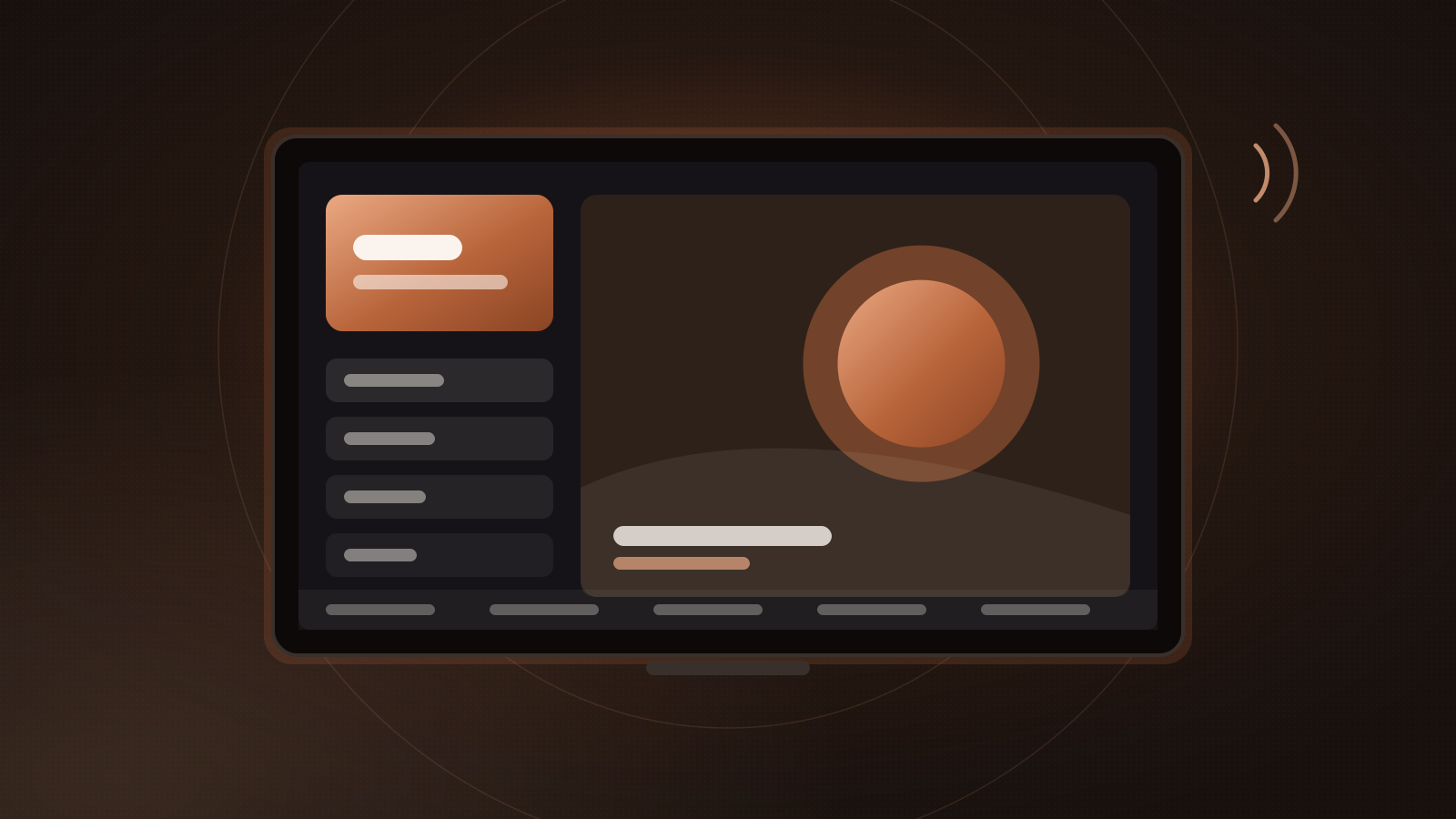
The TV in your salon's waiting area can do much more than play music videos. Set up as a display, it can show the live queue — now serving, up next and everyone waiting — and, around it, your offers, your work and paid ads from local brands. Customers stop asking "how much longer?", your services get seen by people who already walked in, and a sponsor can help pay for the screen.
Here's how to plan the layout, what to show, and how to set it up.
Why use the TV as a display?
Most salons already have a TV in the waiting area. It usually plays a music channel or cricket, which fills the silence but doesn't help the business. As a salon display it can:
- Make the queue visible, so the order is clearly fair and people know roughly how long they'll wait.
- Call customers, with a chime or a spoken announcement, so staff don't have to shout.
- Promote services customers might not know you offer — a hair spa to someone waiting for a haircut, for example.
- Earn money by showing ads for nearby businesses or product brands.
Layouts that work
The right layout depends on how busy your walk-in queue is and how far people sit from the screen.
Queue first
The queue takes most of the screen: a large now serving token, the next few tokens, and a list of everyone waiting. A narrow side or bottom strip shows a slide or offer.
Best for: busy walk-in salons and barbershops, where the queue is what everyone is watching.
Split screen
The queue on one side, a showcase panel on the other with rotating photos, videos or offers.
Best for: salons with a mix of walk-ins and appointments.
Full-screen slides between calls
Your content plays full-screen, and the queue takes over when a token is called or at regular intervals.
Best for: appointment-led salons where the queue is short but people still wait.
Portrait or landscape
If your wall suits a vertical screen, a portrait layout can work well next to a mirror or in a narrow reception. Make sure your display software supports rotation, so you're not stuck with sideways text.
What to show
A good rotation mixes useful information, your own promotion and, optionally, sponsors.
The queue
- Token numbers, large. Readable from the farthest seat. If people have to walk up to read it, the text is too small.
- Now serving and up next clearly separated.
- An audio cue — a chime or a voice saying the token number — so people looking at their phones don't miss their turn.
Your own content
- Before-and-after photos of your actual work (with the customer's permission).
- Service spotlights: one service, one photo, one price. "Keratin from ₹…" works better than a full menu.
- Seasonal offers: wedding season packages, festival offers, monsoon hair care.
- A QR code to book the next visit or follow you on Instagram.
Sponsor ads
Local businesses and product brands you already use may pay to be on your screen: a nearby boutique, a bridal photographer, a gym, the brand of hair colour you stock. Keep it relevant to your customers and make sure ads don't crowd out the queue.
Selling sponsor slots, simply
If you want the screen to earn, keep the offer clear:
- What they get: a slide or short video, where it appears (side, bottom or full screen), how often and for how long (a start and end date).
- Proof of play: sponsors will ask "how many times was it shown?". Choose software that counts plays per ad, so you can share a simple report.
- A fair price: base it on how many people pass through your salon, not on a number you can't back up.
- Your rules: no competing salons, nothing that doesn't suit your brand, your right to remove an ad.
Start with one or two sponsors you already have a relationship with. It's easier to sell the second month when you can show the first month's play count.
Setting it up
- Check the TV. A smart TV with a web browser works, and so does an Android TV or Fire TV device plugged into an older set.
- Place it where everyone can see it, ideally facing the seats and away from glare from windows and mirrors.
- Pair it with your queue system, so the board updates on its own as tokens are called.
- Set the volume for call-outs: clear from the waiting area, not overwhelming at the chairs.
- Load a small first rotation: a few service spotlights, one offer and a booking QR code. Add more once you see what works.
- Keep it fresh. Swap slides each month and match offers to the season.
For the queue side of things, see our guide to running walk-ins with a token system.
Mistakes to avoid
- Text that's too small. Stand at the farthest seat and check.
- Too many slides. A customer should see your key offer at least once while they wait.
- Sound that never stops. Constant audio from ads is tiring; keep sound for call-outs and the occasional video.
- Stale offers. A Diwali offer in February tells customers nobody is paying attention.
How SalonOS does it
SalonOS turns any TV with a browser — or the SalonOS app on Android TV and Fire TV — into a queue board. You pair it by typing a code into the owner app. The board shows now serving, up next and waiting, with a chime and voice call-outs, in portrait or landscape. Showcase runs your own banners, videos, service spotlights and sponsor ads as side, bottom or full-screen slides, and sponsors get play counts. The TV board and Showcase are part of the Business plan. More on the TV board.
Frequently asked questions
Do I need a new TV?
Usually not. Any TV with a working browser can show a web-based board. For an older TV, an inexpensive Android TV or Fire TV device plugged into the HDMI port is enough.
Will the queue board work if the internet drops?
A web-based board needs a connection to show live updates. Use a stable Wi-Fi connection near the TV, and keep a manual fallback such as calling tokens out loud.
How long should each slide stay on screen?
Long enough to read comfortably — for a photo with one line of text, several seconds is typical. Watch how customers react and adjust.
Can I show different content on different TVs?
That depends on your software. It's useful if you have a waiting area and a separate bridal or spa room with a different audience.
Wrapping up
Your waiting-area TV can show a fair, visible queue, call customers clearly, promote your services and earn from sponsors. Start with a clear queue layout and a short rotation of your own content, then add sponsors once you can show them play counts.
Want to try it? Start free with the live queue, and see the Business plan for the TV board and Showcase.